
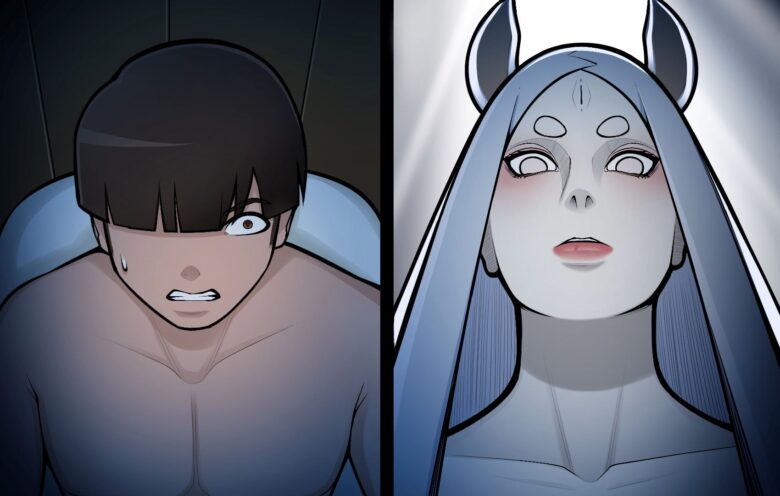


The game’s setting takes place after the 4th great ninja war. The story tells about the daily life of an orphan boy, who was fortunate to be adopted by the Hokage from childhood.
Use the linked Patreon Activation
Installation:
1- Extract and run.
Developer: Kimkun0162
Censored: No
Version: v0.7
Language: English
Genre: 2DCG, Animated, Male Protagonist, Big Ass, Big Tits, Handjob, Milf, Virgin
v0.7
This version focuses on Naimi-san and only updates her content. It includes 4 different sex animations and many illustrations.
Content you can find in this update: Handjob, blowjob, missionary, riding, anal sex, etc…
Download for Windows
Download for Mac - v0.3
Download for Android
- swipe down to hide the ui
- swipe left to roll back
- swipe right to start skipping of text
- swipe 2x left&right to open the game menu
- swipe up&down to toggle a small window with memory usage information
- longpress the save file thumbnail in the save/load screen to delete this slot
Download Gallery Unlocker
Installation:
Extract file from file to the \game folder and overwrite when prompted.MAC:
Unzip the mod -> Right click being a dik -> Click “Show Package Contents” -> Open the “Contents/Resources/autorun” folder -> Hold the Option key and drag the folder named “game” from the mod into the “autorun” folder -> Click merge
Download & Activate Patreon
Method 1: Replace files in the patreon_auth folder – All versions (0.4 ~ 0.6)
Gofile
PixeldrainJust download the file from the link and replace the one inside the patreon_auth folder.
Method 2: Replace files in the game folder
screens.rar V0.6 – Last version
Drop this file into the game folder — it forces the account to become active Patreon, no matter what shows up.
Delete or rename the screens.rpyc file by adding a – at the end (e.g., screens.rpyc–).There’s no need to delete the Patreon folder—it will most likely continue to work even if the game gets updated.
If the file content opened as a page, you can download it by using “Save Page As”.
Make sure to select “All Files“ as the file type when saving, otherwise it will be saved as a Text(.txt) file, which is incorrect.
The file extension must be .rpy, and the file name should be exactly screens.rpy.Additional note: I personally haven’t encountered it, but it’s been reported that this method may cause a GUI error.
Method 3: Delete patreon_auth folder
If you delete the Patreon folder, the game becomes temporarily playable—but it carries potential errors and could cause issues at any point.
Download Save Files
The Ren’Py engine stores save games and persistent data under a separate folder. It’s exact location depends on the host operating system.
Windows:
%APPDATA%/RenPy/game_directory
This is usually:
C:\Documents and Settings\YOURNAME\Application Data\RenPy\game_directory
Where YOURNAME is your username.
Mac OS X:
~/Library/RenPy/game_directory
Android :
android/data/ or here: SD:/Android/data/com.{gamename}.program/files/saves/.
Linux/Other:
~/.renpy/game_directory





Gooner
Please update the game to 0.4 version
Anonymous
I can’t load or start a new game with V0.4 it just keeps sending me to the game Patreon
Anonymous
Same
Anonymous
go to game and delete Patreon_auth Folder
Snowman
Can’t find game folder
Snowman
Can’t find game folder
Anonymous
go to game and delete the patreon _auth
Irwansyah
Mmmmmmm
Anonymous
It’s doesn’t install then
Anonymous
go to credits and then u can load it
Irwansyah
Mmmmmmmmm
Anonymous
Another game to people with virgin boy MC fetish. Boring like hell.
dik
update it bro make more sex scene not just peeking and masterbating
Hhhhh
Update on android plz
Brusky
Does someone have the link to evade the patreon verification, the one on the page has been taken down