Overview
Info
Changelog
Overview
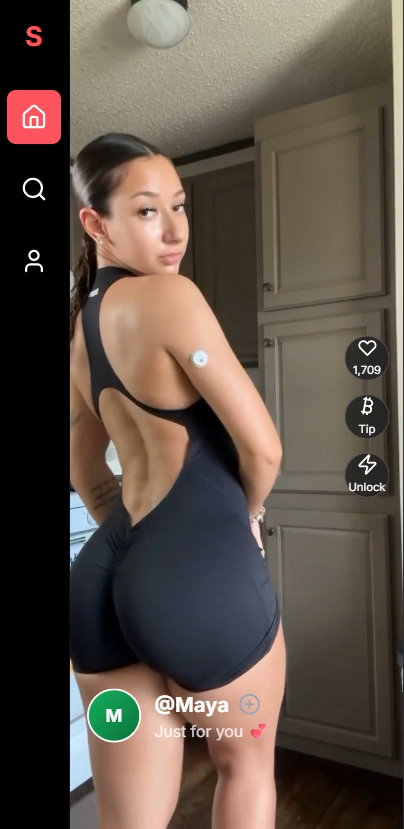
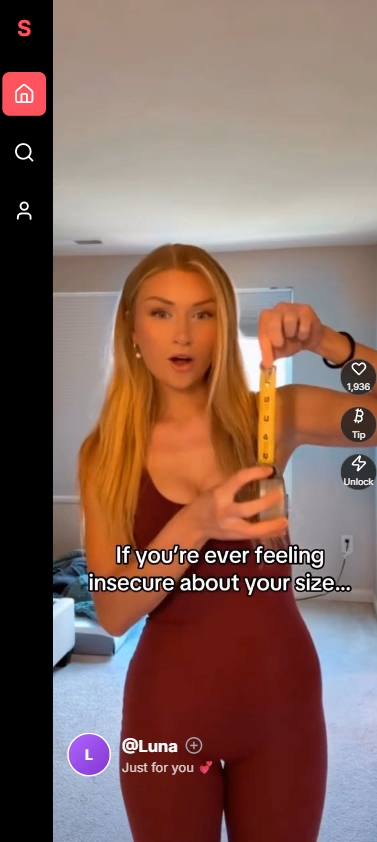
ScrollTok: Where every scroll has a price. Welcome to ScrollTok, the most exclusive and addictive video feed on the web. Dive into an endless stream of captivating content from four unique creators, with new videos dropping into your ‘For You’ page every single day. But this is more than just an app! It’s a life simulation. You start with a daily stipend of BTC, but you’ll have to manage it carefully. Pay for your daily rent, food, and even your ScrollTok subscription fee. Every choice matters. Will you spend your balance tipping your favorite creators and quick-unlocking their next video, or will you save your funds to ensure you don’t go bankrupt? Your goal is to survive for 30 days to unlock every video and see what happens.
Info
Installation:
1- Extract and run.
Developer: VGS Studios
Censored: No
Version: VGS Studios
Language: English
Genre: real porn, vaginal sex, teasing, big ass, big tits, oral sex, point & click, mobile game, lesbian, sex toys
Changelog
- Support Developer of this game:
-
Website -
Patreon -
Itch -
discord -
Subscribestar -
Steam
Download for All
Download from mega
Direct Download
Download Mirror
Download for Android
Download from mega
Direct Download
Download Mirror
Click here – To learn how to Play Latest version on android!
Ren’py game touch gestures on android
- swipe down to hide the ui
- swipe left to roll back
- swipe right to start skipping of text
- swipe 2x left&right to open the game menu
- swipe up&down to toggle a small window with memory usage information
- longpress the save file thumbnail in the save/load screen to delete this slot
Download Walkthrough
Download Incest Patch
Download
How to install Patch?
Content Changed
Enables incest.
Patch Instructions
Windows/PC: Copy xyz.rpyc into your “game” folder.
Android users: Navigate to Android/data/xyz/files, create a new folder named “game” and copy the xyz.rpyc in this folder.
Mac: Right click your xyz app -> Click “Show Package Contents” -> Move xyz.rpyc into your “Contents/Resources/autorun/game” folder
Note: This patch will work for all future versions as well. Just copy the file for each new game version. It will always stay the same file.
Download Mod
Download
Features & How to install Mod?
Installation:
Extract file from file to the game folder and overwrite when prompted.
MAC:
Unzip the mod -> Right click being a dik -> Click “Show Package Contents” -> Open the “Contents/Resources/autorun” folder -> Hold the Option key and drag the folder named “game” from the mod into the “autorun” folder -> Click merge
Download Gallery Mod
Download
Features & How to install Mod?
Installation:
Extract file from file to the game folder and overwrite when prompted.
Features & How to install Mod in rpgm?
Installation:
PC/MAC:
Copy and replace the files into the www>data folder
Android:
Basic concept is the same, you need to replace the old files with the new ones. The easiest way I’ve found of doing this is using “Apk editor pro” selecting simple edit , then under assets>data you should find the files. You’ve then have to remove and reinstall the application for the changes to take affect.
Features & How to install Mod in Unity?
unzip File.zip in “C:Users”YOUR USERNAME”AppDataLocalLowEternalAliceStudioGhost Marriage”
The Ren’Py engine stores save games and persistent data under a separate folder. It’s exact location depends on the host operating system.
Windows:
%APPDATA%/RenPy/game_directory
This is usually:
C:Documents and SettingsYOURNAMEApplication DataRenPygame_directory
Where YOURNAME is your username.
Mac OS X:
~/Library/RenPy/game_directory
Android :
android/data/ or here: SD:/Android/data/com.{gamename}.program/files/saves/.
Linux/Other:
~/.renpy/game_directory
Windows:
Unzip the content anywhere, move all content to your main folder (where the .exe is). Overwrite all necessary files. (Half tested).
Linux:
I don’t know about Linux. (Untested).
Mac:
You need to copy paste every content from the update only folders into their respective folders, overwriting where necessary, if the folder is not existing you can copy the whole folder (To see the content of an app, right click the app and pick Show Package Contents).
Ex. – Navigate to your (“DefendingLydiaCollier.appContentsResourcesautorungame” on Mac) – both require v.0.15.9 – and copy and paste the “v21.new.rpa” file there.
Windows:
Unzip the content anywhere, move all content to your main folder (where the .exe is). Overwrite all necessary files. (Half tested).
Linux:
I don’t know about Linux. (Untested).
Mac:
You need to copy paste every content from the update only folders into their respective folders, overwriting where necessary, if the folder is not existing you can copy the whole folder (To see the content of an app, right click the app and pick Show Package Contents).
Ex. – Navigate to your (“DefendingLydiaCollier.appContentsResourcesautorungame” on Mac) – both require v.0.15.9 – and copy and paste the “v21.new.rpa” file there.
Download CG
Download Extra Images
Download Pinups
What is CG?
CG (computer Graphics) is basically only the images and videos form the game without the game files themselves. You don’t need them in order to play the game. Download them only if you wish to browse the images and videos without playing the game itself.